Content
Converting landing pages
What is a landing page and why is it good for SEO? Here you'll find ten smart tips for creating a high-converting landing page

Many have probably experienced the pull of a top list both online and on front pages — how they somehow grab your attention in this short, direct format. Writers and editors are, of course, aware of this and often use it to lure readers. Here we give concrete tips for making a list that converts and is easy to scan.
Who hasn’t read headlines like “10 tips to get in shape for summer”, “3 smart saving tips before retirement” or “The 5 best series on Netflix”. Many who produce digital content use lists of various kinds, but why are they so popular? At its core, it’s about the fact that we humans are lazy by nature. We’re built to conserve energy until we really need it. If there are shortcuts for consuming information, we gladly take them. Lists that signal in the headline that you’ll get a certain number of tips are an effective way to satisfy our inner lazy self.

With the help of lists you can smartly structure information. The reader can quickly get an overview of where they have landed, what they can do on the webpage or what is offered. In just a few simple lines you can summarize and present content that can help the user make a decision. They can act as attention-grabbers and entice further exploration. Even the national web guidelines recommend using lists to make texts more manageable, airy and to increase readability.
By breaking content into smaller parts we can distinguish and highlight important information. What you highlight in a list depends on who you are addressing, what their needs are and what you want to achieve. Properly designed they can even increase conversion. If you are not already using lists in your digital channels, it is high time you started.
For lists to be effective they should be easy to scan. They can also look different depending on what you want to achieve. Here are examples of different kinds of lists:
Bullet lists are perhaps the most common type of list. They are easy for the eye to scan. On a product or service page they can, for example, be used to describe features or benefits of your product or service. The list should then help visitors form an opinion and make a decision more quickly. Bullet lists don't always have to consist of dots. You can use arrows, check marks, stars or other icons that make the text easier to digest.

Numbered lists are used to rank content. They can be used to describe a process when things should happen in a particular chronological order or to build anticipation. Articles written as a numbered list, for example "5 tips to increase your sales", are often very clickable. The reader already gets a hint from the headline of what to expect from the article.

Numbered lists
Lists with checkmarks are often used to highlight customer benefits, or USPs (Unique Selling Points). They are often short, simple and aim to encourage conversion. When text is complemented with a checkmark it inspires confidence and acts as a reassurance marker.
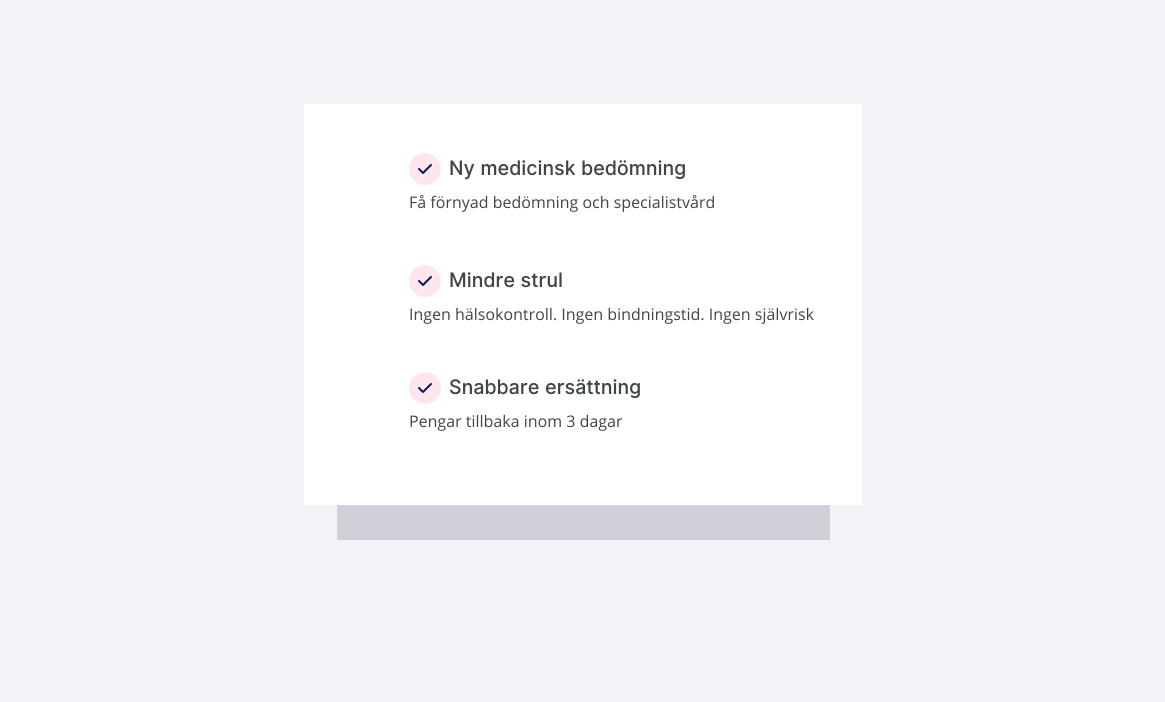
To build recognition and make information easier to interpret, you can use lists with icons or images. Image listings are common in product listings in e‑commerce. They also appear on landing pages where categories are grouped.
Icons are commonly used when listing contact options or presenting services and USPs. Some also use icons in menu listings to make it easier to scan and find the right item. With the help of icons, users don't always need to read the text to understand what it's about.

Landing page with categories
Lists can briefly summarize with a single word or sentence, or contain multiple lines of text. Lists with longer passages of text become a cross between a bullet point and explanatory text, which works well on the web.
Lists with whole paragraphs or lines of text
The key to conversion is understanding what customers or visitors need and convincing them to convert. What do they want to know more about? What is important to them? Content must therefore be presented in a way that appeals to the user. It will of course vary for different companies, products and target audiences. Not all conversions necessarily lead to immediate sales. However, every conversion is a step closer to, for example, making a purchase. This can involve filling in a contact form or subscribing to a newsletter that later leads to the purchase of a product or service.

A link or button next to lists can help the user convert.
As we mentioned earlier, lists are an effective way to make information easier to grasp. If you complement a longer text with a short summarizing list, the user can understand, just by scanning the list, why they should click through. Placing a clear call-to-action (CTA) close to a summarizing list gives the user everything they need to convert. Whether it's about reading more, moving on to the next step, or buying a product/service.
It's no coincidence that many use check marks or "checkboxes" to highlight important information. Measurements have shown that this often increases conversion. We associate, consciously and unconsciously, different symbols and colors with certain feelings and actions. For example, we've come to expect that checkboxes indicate positive validation — that something is completed or included if you hire us or buy our product. The same goes for progress bars or multi-step flows.