Technology
Version control with Git and GitHub – what is it?
With version control in Git and GitHub, you can streamline the development process in a project. Some even say it’s version control at its best. We explain more about what Git is and what it can mean for you as a customer.
What is GIT and GitHub
Git is a version control system that has become a popular tool for both companies and developers around the world. The program is installed locally on a device and can handle everything from small to large projects.
Unlike other version control systems (VCS), which often save a list of changes made to each file, Git stores each saved version as a "snapshot". Much like a photograph. Storing code this way makes it easy to go back to or refer to a previous version. This is useful if you need to roll back when an error is discovered along the way.
To manage version control externally, the GitHub platform is used. Here the code is stored in the cloud. This makes it easier for developers to work on the same project at the same time and from different locations, while still keeping track of code changes in real time.

Git stores each saved version as a "snapshot", roughly like a photograph
With a version control tool developers can keep track of:
- What changes have been made and where
- Who made the change
- When a specific change was made
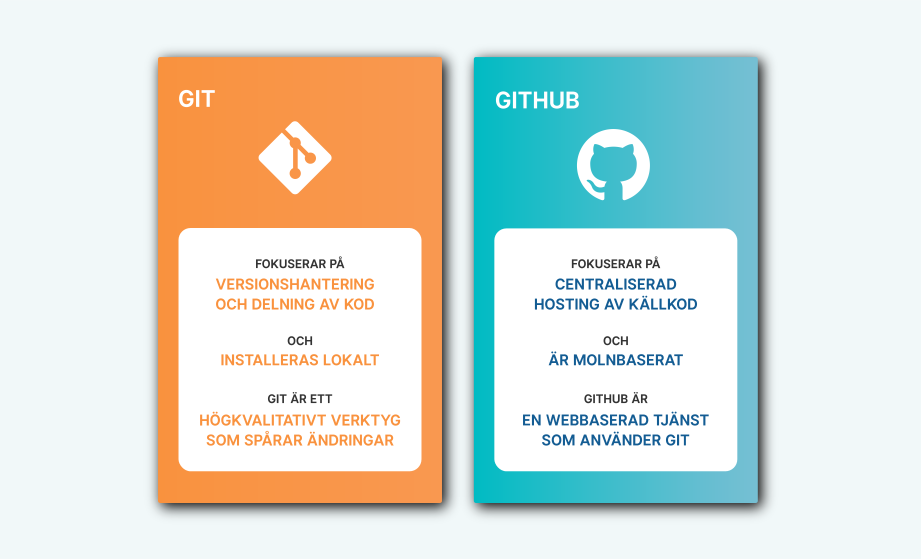
Git and GitHub in brief:
GIT - is a local version control program. Developers can save snapshots of their projects over time. It is usually best suited for individual use.
GitHub - is a web-based cloud platform. In addition to providing Git's features, it also offers project and team management features. The platform also enables collaboration and viewing changes in real time.
Pros and cons
+ One advantage is that multiple developers can work on the same project at the same time. You can see both your own and others' code changes, and get an overview of how the project is progressing. All team members can stay updated on what is finished and what remains to be done. This makes it possible to adjust work, which streamlines the development process.
+ With version control you can save different files or versions during the various stages of a project. This makes it easier to fix errors and mistakes that can occur during development. If your code for some reason disappears locally, you can always find the most recently uploaded version on GitHub (provided you are using the cloud).
+ Project and team management features allow tasks to be assigned to team members. It's also possible to set permissions and roles for collaborators.
+ The software is stable and open source. Like many other major platforms there is also a large community. The benefit is that developers can interact and contribute to each other's code to modify or improve it.
- Not syncing files often enough is one of the most common mistakes. That's why it's important to pull and push code regularly to make sure they are up to date. This is also one of the few manual steps you need to take, but it is not unique to these types of programs.
- The software can be run both locally and in the cloud. The downside of locally installed software is that you can't see real-time changes. There's a risk that you overwrite each other's code. If, on the other hand, you use GitHub everything is stored in the cloud and changes can be seen immediately.
What does version control mean for me as a customer?

The advantages of version control software like Git are many. Among other things, it can increase productivity which ultimately leads to more satisfied customers and better user experiences.
As both customers and markets are constantly evolving, companies need to be agile. Programs and tools that make life easier for the development team can help you meet changing needs more quickly. You simply become more agile and have the opportunity to gain significant competitive advantages.
Methods and tools that streamline ways of working and processes can also save projects both time and money. With increased productivity for the development team, as Git and GitHub bring, new functionality can be delivered continuously and faster to end users. Functionality that improves the user experience can in turn provide a range of benefits such as increased conversion, more satisfied customers and higher profitability.
More efficient and automated processes and flows also mean that more time can be spent on important business-critical tasks, rather than repetitive must-dos.
In addition to GitHub there is also Azure DevOps, which we at Limetta often work with. Read more about Azure and the DevOps methodology.
Would you like to know more about how we work with version control, or do you need to become more agile and raise the quality of your digital product or service? Don’t hesitate to contact us!
Would you like to know more about how
we can help you?
Get in touch with us and we'll tell you more.