User Experience
Infographic, Part 2 of 3: Why you should use it
We list 5 reasons to use infographics

Are you managing to capture your visitors' attention the way you want? Do you wish your visitors would understand your message better? In this three-part article series you'll learn how to use infographics to get a message across and capture your users' attention.
You can turn almost anything into data, but it's not easy to present it to others so that they actually understand it or are willing to take in the information. Often this is because the information isn't visualized in a relevant or comprehensible way.
To succeed in arousing curiosity and capturing your visitors' attention there are various methods you can use. Some of them we've written about in an earlier article ("4 tips to improve your web content"), but did you know, for example, that people process visual data faster than text? People are better at perceiving and understanding images, yet important information is often presented as text. Here infographics can be a useful tool
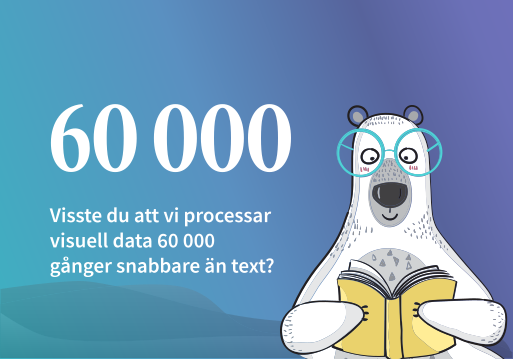
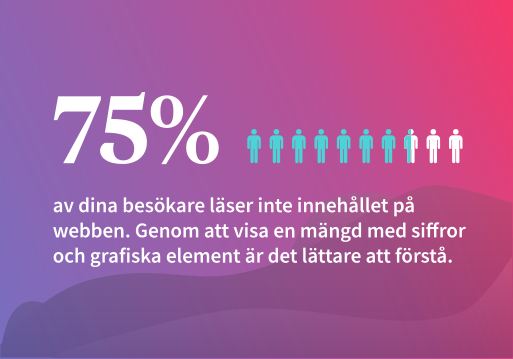
To test you a little and see if we can capture your attention, we have
placed eye-catching infographics here.
As you may have gathered from the previous image, infographics (information graphics), or “infographics” as it is called in English, are visualized data that combine text, numbers, images or illustrations. The purpose is to quickly capture the reader’s interest and make information more accessible and easier to understand. Infographics therefore make complicated things simple
Using infographics to present data such as statistics, processes or events means your target audience understands your messages at first glance. One advantage of infographics over, for example, photos is that they can be used in a more unique and eye-catching way. They can also be used to inform or to teach. For example, we could explain how a system works, show how good we are at something, or describe what our work process looks like


Interesting or not - either way, it seems not everyone in the US uses the word Dude as much as you might think The dude map

An example of animated infographics we produced for Storymedia.se
Whether it is interactive, animated or static infographics, you can visualize information in a few different ways. Say you want to visualize that 5 out of 6 like ice cream — you could display 5/6 in large numerals inside a circle. But if you instead visualized the numbers by drawing and highlighting 5 out of 6 objects, the information is put into context, which can be useful when we want to show a subset of something.


Both proposals are examples of infographics but they look a little different. Which way do you prefer?